
Guides
Home Inspection Report Software Free Trial: What to Test in 7 Days
Most home inspection report software offers a free trial, and most inspectors waste it. They sign up, click around the sample report, admire the interface for ten minutes, and let the trial expire without ever running a real job through it. Then the decision gets made on vibes — which is how you end up paying $109 a month for software you only half use.
The short answer: a 7-day trial is enough to decide, but only if you test the actual workflow on a real inspection. In one week you can run a real job end to end — photos and short notes on site, a structured report with severity badges and repair-cost estimates, a PDF your client can open — and check whether it is faster than what you do now. If you cannot get a real report out the door during the trial, the trial told you something too.
Before day 1: know what "free" actually covers
Not all trials are the same, and the differences matter more than the number of days. Before you sign up, check four things:
- Does the trial ask for a card up front? A trial that needs your card before you have seen a single report is a trial that counts on you forgetting to cancel. InspectReport AI does not ask for a card: every new account gets a free 7-day Pro trial with full access including PDF export, and no card is required.
- Is the PDF export included in the trial? PDF is the deliverable — it is the thing your client actually receives. A trial that locks PDF behind the paywall is not a trial of the product, it is a trial of the editor. Make sure the trial includes full PDF export.
- Are reports and the live preview free anyway? With InspectReport AI, accounts, reports, and the live preview are free even outside the trial. The trial only unlocks Pro — PDF export — for 7 days, and after that it is $9 a month flat per account, with no per-inspector fees.
- What happens on day 8? Know the price before the trial ends. The worst trials convert silently into a monthly charge you never consciously agreed to.
The 7-day test plan
Do not test the software with a demo job. Use the next real inspection on your calendar. Here is the sequence that actually answers the question "should I keep this?":
Day 1: your first real report
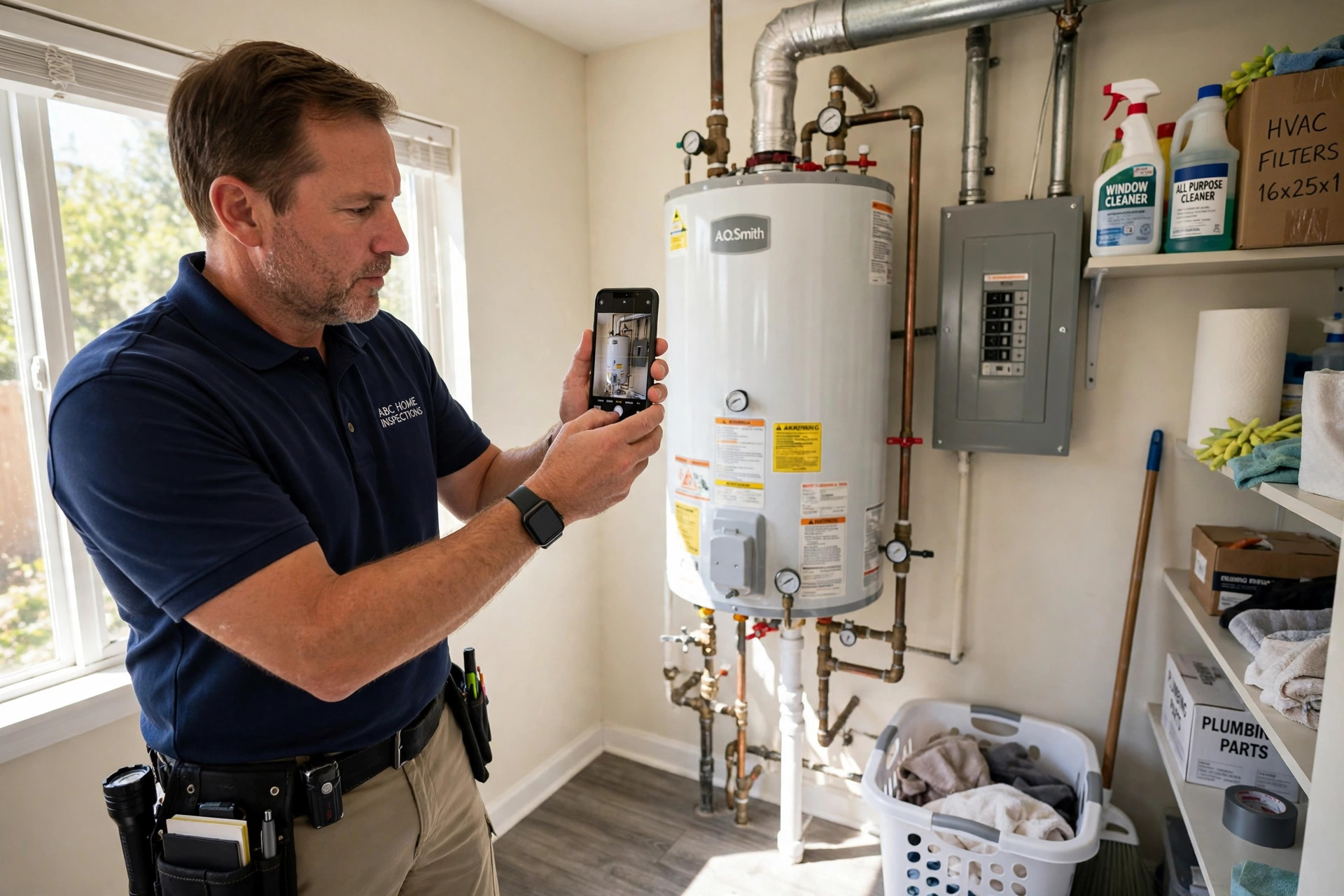
Create the account and start a report from a real job, not the sample. Upload the photos you took on site and type the short notes the way you normally would — "water heater, 2011, rust at base, recommend replacement" — and see what the software does with them. The core promise of home inspection report software is that photos plus short notes become a structured report, so test exactly that. If structuring your notes takes longer than writing the report your old way, that is a finding, not a failure of the test.
Day 2: the PDF your client actually sees
Export the PDF and open it on your phone, the way a buyer or agent will. Check the things clients notice: are the photos clear and big enough to see the defect? Do the severity badges make the serious items obvious at a glance? Is your company name at the top, like a letterhead, rather than buried at the end? Does the report read like a professional document, or like a printout of a form? A PDF that embarrasses you is a reason to stop, no matter how nice the editor is.
Day 3: repair-cost estimates
Findings without prices leave your client guessing. Add repair-cost estimates to a few findings and check whether the numbers are editable, whether they roll up into a total, and whether the estimate reads clearly on the PDF. InspectReport AI also builds standalone priced estimates for repair work — the same engine, so a contractor can send a quote from the same photos and notes. Test that on one job even if estimates are not your main product: it is the feature that turns a report into a decision.
Day 4: templates and repeatability
Your second report should be faster than your first. Open a built-in template — a condo report, a 4-point inspection, a pre-listing walkthrough — and see whether it starts you with the sections you actually need instead of a blank page. Save a template of your own from a report you liked. If the software makes you rebuild the same structure every time, it is not saving you time, it is just moving the typing.
Day 5: the share link and the client experience
Send yourself the share link and open it as a client would. Can the client read the report without creating an account? Does the page look like your report, or like an ad for the software? Your company is the identity on that page — InspectReport AI appears only as a small footer credit. A share page that confuses your client costs you more than any monthly fee.
Day 6: the pricing math
Now do the arithmetic with the vendor prices as of November 2026. InspectReport AI is $9 a month flat per account after the trial, with no per-inspector fees. Spectora's solo plan is $109 a month, and a 3-person shop pays $307 a month; HomeGauge is $89 a month; InspectForge's AI tier is $99 a month. At $9, a solo inspector saves about $100 a month against Spectora and about $80 a month against HomeGauge — roughly $1,200 and $960 a year. A 3-person shop saves about $298 a month against Spectora, roughly $3,576 a year. The question is not whether $9 is cheap. It is whether the report you made on day 1 was good enough that the savings do not cost you quality.
Day 7: decide on evidence, not on habit
Answer three questions with what you actually saw this week:
- Did a real report go out faster than my old method, including the PDF?
- Would I be comfortable sending that PDF to my best agent?
- At the price after the trial, is it worth keeping for one more month?
If the answer to all three is yes, keep it — the trial did its job. If the answer to the first is no, no price makes it worth keeping. And if the answer to the first two is yes but you are unsure about the third, remember the trial costs you nothing to have run: the account, the reports, and the preview stay free, and the $9 a month only starts if you decide PDF export is worth keeping.
Red flags to watch for during any trial
- The trial needs a card before you see a report. You are being sold a subscription, not given a trial.
- PDF export is locked during the trial. You cannot evaluate the deliverable, only the demo.
- Per-inspector fees appear after the trial. A "$29 a month" plan that becomes $29 per inspector is a different price. Flat per-account pricing is the number to compare.
- You cannot export your own reports. If leaving means losing your reports, you are not trialing software, you are entering a contract.
- The trial is too short to include a real job. If your next inspection falls outside the trial window, wait and start the trial the day before the job — a trial that expires before you use it is the same as no trial.
The honest bottom line
A free trial is a test drive, and test drives only work if you drive. Seven days, one real inspection, one PDF sent to a real client — that is the whole evaluation. InspectReport AI's trial is built for exactly that: full access including PDF export, no card required, and a flat $9 a month per account afterwards with no per-inspector fees (as of November 2026). Try it on your next job and let the report decide.
Try it on your next job — free
Every new account gets a free 7-day Pro trial with full PDF export, and no card is required. After the trial, $9/mo flat per account keeps PDF export — reports and the live preview stay free either way.
Start my free 7-day trialMore from the blog
- New Construction Final Walkthrough: What to Check Before You Sign Off (and the 11-Month Inspection After)
- Wind Mitigation Inspections: What the OIR-B1-1802 Checks — and Why Photos Decide the Discount
- Home Inspection Report Software for Multi-Inspector Firms: Flat Pricing vs Per-Inspector Fees
- 4-Point Inspection Reports: What Insurers Ask For and How to Deliver Them Fast
- Section 8 Inspections Are Changing: NSPIRE, the 24-Hour Clock, and What to Walk Before February 1, 2027
- Commercial Building Inspection Reports: What a CAPEX Summary Adds for Buyers and Owners
- InspectForge Pricing Explained: What Inspectors Actually Pay
- HomeGauge Pricing Explained: What Inspectors Actually Pay
- What Buyers Actually Read in Your Inspection Report (and What They Skip)
- Winter Home Inspections: Freeze Damage, Furnaces, and What Changes on Site
- Switching Home Inspection Report Software: A Migration Checklist That Loses Nothing
- AI in Home Inspection Reports: What It Can and Can't Do, Honestly
- Change Orders Without the Fight: Documenting Extra Work So Customers Approve It
- For Roofers: How to Write a Repair Quote Customers Approve Faster
- Same-Day Report Delivery: The Workflow That Makes It Routine
- Repair-Cost Estimates in Inspection Reports: How Inspectors Price Findings
- Home Inspection Checklist: What Inspectors Check, Room by Room
- Spectora Pricing Explained: What 1-, 3-, and 5-Person Shops Actually Pay
- How Much Does Home Inspection Software Cost in 2026? Vendor-by-Vendor Math
- Home Inspection Report Template: What a Complete Report Includes
- Best Home Inspection Report Software in 2026: An Honest Ranking
- How to Write a Home Inspection Report Faster (Without Cutting Corners)
- Spectora vs InspectReport AI: An Honest Comparison (2026)
- HomeGauge vs InspectReport AI: An Honest Comparison (2026)
- How Contractors Can Document Jobs with Photos and Send a Clean, Priced PDF